
11 min• 07.07.2026
Choosing league scheduling software: an 8-question checklist
By Dawid Pątko

The global market for sports management software was worth $4.26 billion in 2025 and is on track to reach $14.79 billion by 2033, growing about 17% a year. That is a lot of tools chasing a lot of organisers. Most of them are built for big clubs, governing bodies and multi-sport complexes with paid staff. At the other end sit the free schedule generators, which produce a grid of fixtures and then leave everything else to you.
If you run a five-a-side or amateur football league, you need something in between: a tool that builds the schedule and then runs the season around it. This checklist covers the basics of league scheduling software, eight questions to ask before you commit, and a way to match the tool to the league you actually run. The right league scheduling software keeps the schedule inside the system that runs your league: the league table, the results and the public page your players check on Monday morning. FLM System is built that way, and its football league scheduling software for multiple leagues is a good reference point for the questions below.
League scheduling software in plain terms
Before you compare tools, pin down what the category covers. The same phrase gets stretched across very different products. Some stop at making a grid, others carry the whole season.
League scheduling software, defined
League scheduling software is a tool that generates a season's matches (who plays whom, when and where) and manages them from there. For football that means building a round robin or cup format, giving each match a date, time, pitch and referee, and keeping the schedule tied to results and the league table as matches are played.
The last part separates a league platform from a one-off schedule generator. A generator answers a single question: what is the fixture list? A platform keeps track of the thing you need all season: the current table. Both call themselves scheduling software. Only one saves you work after week one.
A free schedule generator only solves half the problem
Generating fixtures looks like the hard part, and a computer does it in a second. A single round robin with 8 teams produces 28 matches across 7 rounds; play it home and away and you get 56. The maths is n(n-1)/2, and it climbs quickly. Past roughly 20 teams, building a fair schedule turns into an optimisation problem that researchers study in their own right. A free generator handles the arithmetic and hands you a clean grid.
Then it stops. You copy the grid into a spreadsheet, retype every score after each round, recompute the table by hand and send the league table to twelve captains who will ask again next week. The generator solved the easy half. You keep the tedious half, the one that repeats every seven days.
A fixture list is useful only while it matches what happened on the pitch, and a static grid starts drifting the moment the first match ends. Our round robin scheduling explainer walks through the mechanics behind the grid. Your Sunday nights go somewhere else, though.

Scheduling questions to ask before you choose
Start with the schedule itself. These four questions sort out most tools in ten minutes of a free trial, and each one maps to a problem you will hit by the third week of the season.
Does it support the formats you play?
A tool that only does straight round robin will fail you the first time you run a cup. Good league scheduling software should cover the shapes amateur football actually uses:
- Round robin – every team plays every other team once or twice. The backbone of most recreational leagues.
- Cup or knockout – single-elimination brackets for a season-ending trophy.
- Groups plus cup – a group stage that feeds a knockout, the format most five-a-side tournaments run.
- League plus cup – a full season table with a parallel cup competition.
- League phase – one table where each team meets a fixed number of different opponents, then a playoff, the way the Champions League now works.
Once you pick a format, the tool should turn it into dated, timed matches with a pitch next to each one. A list of abstract pairings is still homework. Our guide to building a season's fixtures shows the whole process without a spreadsheet.

Can it schedule several leagues on shared pitches and referees?
This is the question most buyer's guides skip, and it is the one that breaks organisers who grow. One league on one pitch is easy for any tool. Two or three leagues sharing the same complex and the same referees is where single-league scheduling software falls apart, because it builds each schedule on its own and lets two competitions claim pitch 2 at 7pm.
The test is simple: pitches and referees should belong to your whole organisation, with every league drawing from the same pool. In FLM System they belong to the organisation, so the scheduler plans every league in one pass: a pitch or referee booked in the Monday league can't be booked again in the Wednesday one. Each league still keeps its own teams, table and public page.
If you run a single league today, ask the question anyway. Most organisers who stick around add a second division, a summer league or a corporate night within a couple of seasons.
Does it respect pitch hours, referee availability and team requests?
A schedule that ignores the real world creates more messages than it saves. Before you commit, look for these rules in the settings:
- Opening hours for each pitch, plus one-off closures for a tournament or maintenance.
- The days each referee can work, and whether a referee can stay on one pitch for the whole evening.
- Days or times when a team can't play.
- An even spread of late kick-offs and Sunday matches, so one team doesn't collect every 9pm slot.
Then test a match with no free slot. A careful tool leaves it undated and puts it on a list for you to place by hand, instead of squeezing it into a clash. It should also check your manual edits, so you can't put two matches on the same pitch at the same time by mistake.
What happens when a match is postponed?
Rain, a closed sports hall or a holiday weekend will move matches in every season. Pushing a whole round back a week should take one click, and adding rounds mid-season shouldn't change dates the teams already know. FLM System does both: one button reschedules the round, and new rounds slot in after the existing ones.
The change also has to reach the players. If the public schedule updates on its own, you send one message to the league. If it doesn't, you send twelve.
Questions about everything after the schedule
The schedule is the first week of work. The next thirty weeks are results, tables and questions from players, and that is where a scheduling tool either keeps paying off or turns into one more file to maintain.
Do results, tables and stats update themselves?
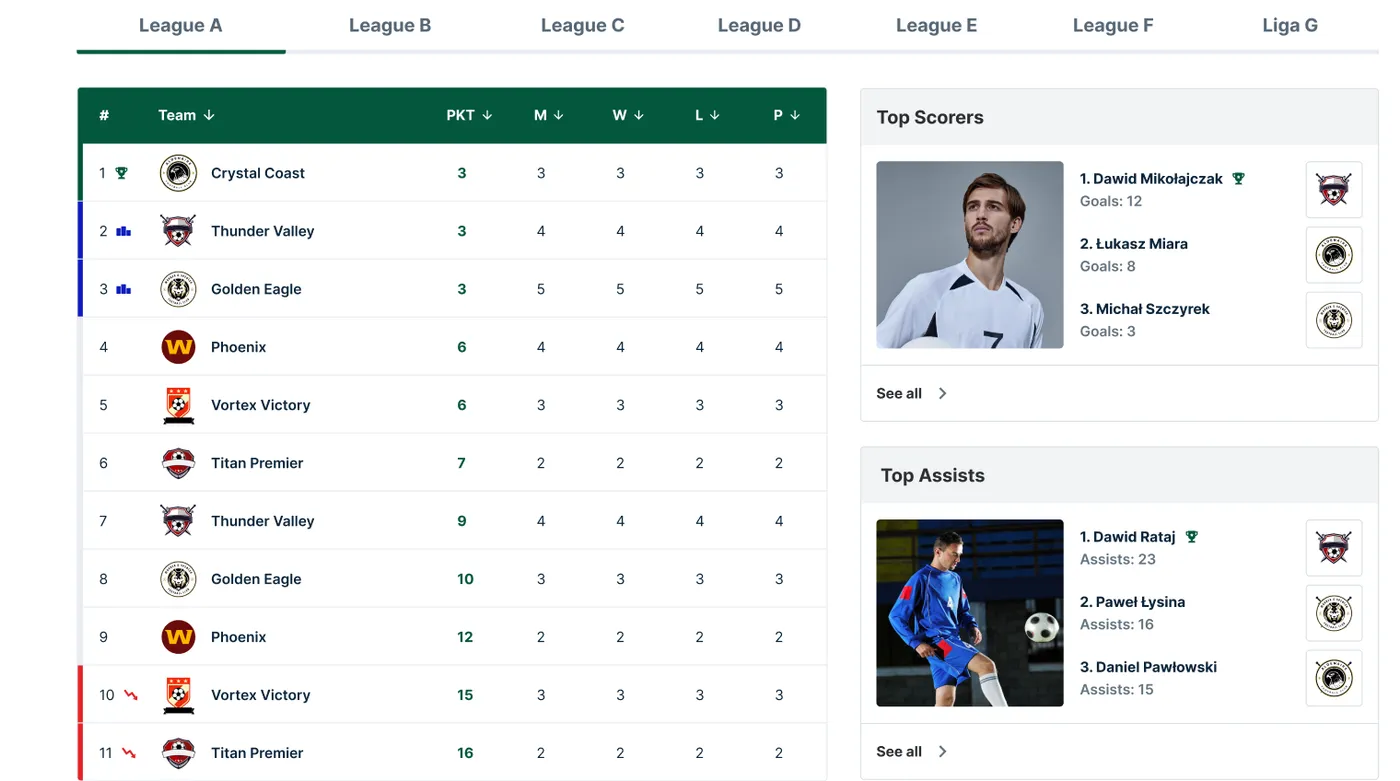
Nothing on this list pays for itself faster. Scores go in once, from the pitch, and the league table, top-scorer list and team records recalculate on their own. No second round of data entry and no arithmetic mistake that a captain spots before you do.
An automatic league table also gives players a reason to come back. They check the table because it moved, and they follow the golden boot race because it is live. When you evaluate a tool, enter a test result and follow it through the table, the scorers list and the public page. That flow is the heart of a full league management system, and scheduling is only the front door.
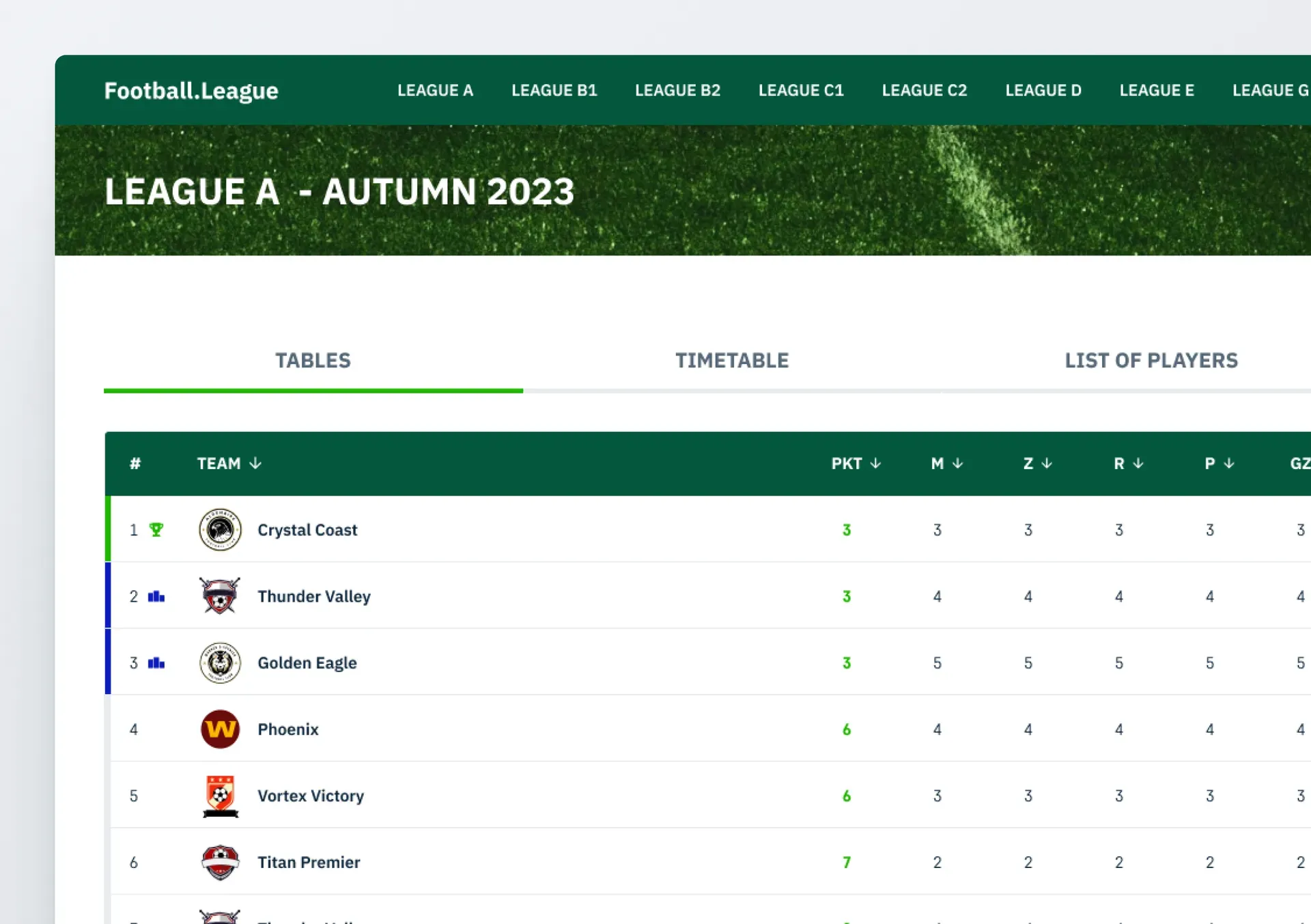
Is there a public league page with live scores?
A generator can't give you a place where your league lives in public. A PDF grid sits on your laptop. A league page sits behind a link you drop in the team group chat, and it updates itself.
That page does a lot of quiet work. Players see their next match, the pitch and the current table without messaging you. A referee enters goals and cards from a phone at pitchside, and the league table counts matches in progress, so the table moves while the evening is still being played.
How fast can you set up a season?
Setup is where most trials quietly end. Look for a CSV import for teams and players, because typing in 300 players one by one is where most migrations stall. FLM System imports teams first and players second, with sample files that have the columns already laid out.
Do the setup on a laptop. Referees and players will use their phones all season, but building leagues, pitches and the first schedule is desk work, and a big screen makes it a one-evening job.
Is it priced per team, per match or per site?
Pricing models in this category differ more than the headline prices suggest:
- Per team – you pay for the size of your league. FLM System charges $1 per team per month, so a 10-team league pays $10.
- Per match – some generators meter matches. Ten teams playing each other once already make 45 matches, and a home-and-away season makes 90, so the bill grows with every round you add.
- Per site or quote only – enterprise platforms often price by organisation and ask for a sales call first.
Run your own numbers for a full season before you sign up anywhere, and read the trial terms. FLM System gives you 14 days without a credit card.
Fitting the software to your league
With the questions answered, the choice usually comes down to two kinds of product. Knowing which one you are looking at makes the decision easy.
Standalone generator vs. all-in-one platform
The two options cover different amounts of your job:
- A standalone schedule generator produces fixtures and exports a grid or PDF. Free or cheap, and fine for a one-time tournament bracket. Results, tables and messages to captains stay with you and your spreadsheet.
- An all-in-one platform like FLM System generates the schedule inside the same system that records results, keeps the table, runs live scores, powers a referee app and publishes a public league page. You set the season up once and the platform carries it.
A generator is faster to open and slower to live with. A platform asks for an evening of setup and then takes the week-to-week admin off your hands. If you would rather compare specific products, our roundup of the best football league management software lines them up side by side.
Simple is often the right call
Don't overbuy. The most common mistake I see amateur organisers make is picking the tool with the longest feature list, using four of its features, then drifting back to a spreadsheet because the software felt like a second job. Features you never open still cost you time, because you have to work around them.
Pick league scheduling software that matches how your league already runs and that you can set up in one evening. If you have been holding a season together with spreadsheet tabs and group chats, these are the signs your league has outgrown Excel. The fastest way to judge scheduling software is to schedule a real season in it.
FAQ
What is league scheduling software?
League scheduling software generates a season's matches for a sports league and keeps managing them once play starts. For football it builds a round robin or cup format and assigns dates, times, pitches and referees. In a full platform it also connects the schedule to results and the league table, so the table updates as matches finish.
Is there free league scheduling software?
Yes, and almost all of it is a fixture generator. In practice that means:
- What you get – a round robin or bracket grid you can export or print.
- What you don't get – an automatic league table, live scores, a public league page or results entered from the pitch.
- The real cost – the weekly admin the generator hands back to you.
For one tournament a free generator is plenty. Over a season of several months, the hours usually cost more than a paid plan.
Can one scheduling tool handle several leagues on the same pitches?
Some can. The tool needs pitches and referees shared across the whole organisation, with every league scheduled in one pass. FLM System works this way: a Monday league and a Wednesday league can use the same pitches and referees without double bookings, while each keeps its own table and public page.
Can you make a football league schedule in Excel?
You can, and plenty of organisers start there. Excel handles a fixture grid and a basic table for a small league without much trouble. The strain shows in the upkeep: retyping scores, recalculating the table, sending an updated file every week and catching the errors those steps create. Two leagues sharing one pitch make it much harder, because Excel won't warn you about a clash.
What scheduling software is best for a small football league?
For a small league the best tool is rarely the most powerful one. Weigh these instead:
- Round robin plus cup and group formats.
- Results in, league table out, with no second data entry.
- A public page with live scores, so players stop messaging you.
- Setup you can finish in one evening, ideally with a CSV import.
FLM System covers all four for small-sided and amateur football leagues, with a 14-day trial that needs no credit card.